 Unscroll
Support
Quick answers to common questions, and how to reach us.
Moving around a room
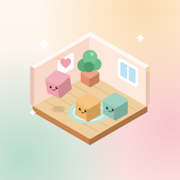
Drag with one finger on an empty spot to move the room around. Pinch to look closer, or double-tap a spot; double-tap again to see the whole room. Twist two fingers to turn it, or tap the arrow buttons on the right. On the home screen, tap the room to play it. More → Moving around a room shows it all.
Getting your rooms back on a new phone
If iCloud is on for Unscroll (Settings → your name → iCloud), your rooms, album and animal come back when you install Unscroll on a new phone or reinstall it, signed in to the same Apple ID. Give it a minute after opening the first time. Pictures you made stay on the old phone.
Finding fireflies
Every room has three. They hide beside things: next to a plant, on a shelf, by a table leg. Pinch in and look around, and tap one when you see it glow.
Reminders and the Shortcut
Turn on a gentle daily reminder in More. To have Unscroll open when you reach for a feed, add an iPhone Shortcut automation: Shortcuts → Automation → App → choose the app → Open App → Unscroll. More shows the steps too.
Your companion
You can change your animal and its name any time in More → Your companion.
If you're having a hard time
Unscroll is a calm habit, not therapy or medical care. Please reach out to someone you trust. If you're in crisis, call or text 988 any time (US), or your local emergency number.
ContactAn email address for Unscroll is on its way and will be listed here soon.
Privacy questions? See the privacy policy.